From instant correlation analysis to smart upscaling, more realistic SIS simulations, and enhanced 3D interactions, the new Isatis 2025.2 release brings powerful improvements for every geoscience professional.
Main menu
Instant cross plots for faster correlation analysis
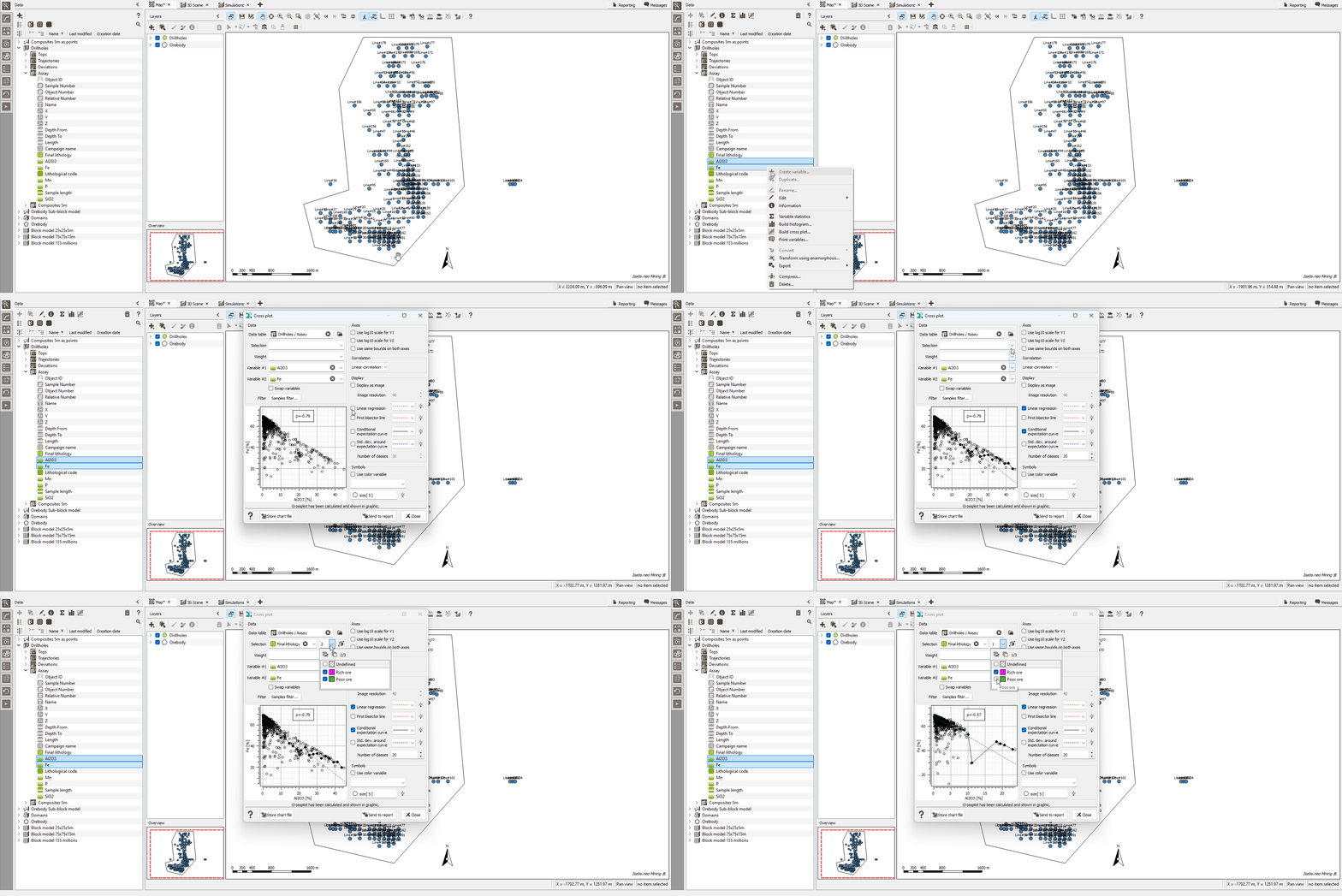
A new Cross Plot feature lets you generate correlation scatter plots instantly, without needing to open the Exploratory Data Analysis (EDA) module. You simply have to select two variables from the same data table, then right-click to get the graph.
The Cross Plot includes all the options you know from EDA: swap axes, apply a log10 scale, add reference lines and curves, or define a color variable.
This feature provides a faster, more intuitive way to explore relationships between variables, without sacrificing the advanced customization you rely on.
Flexible data transfer between grids with multiple methods and full analytics
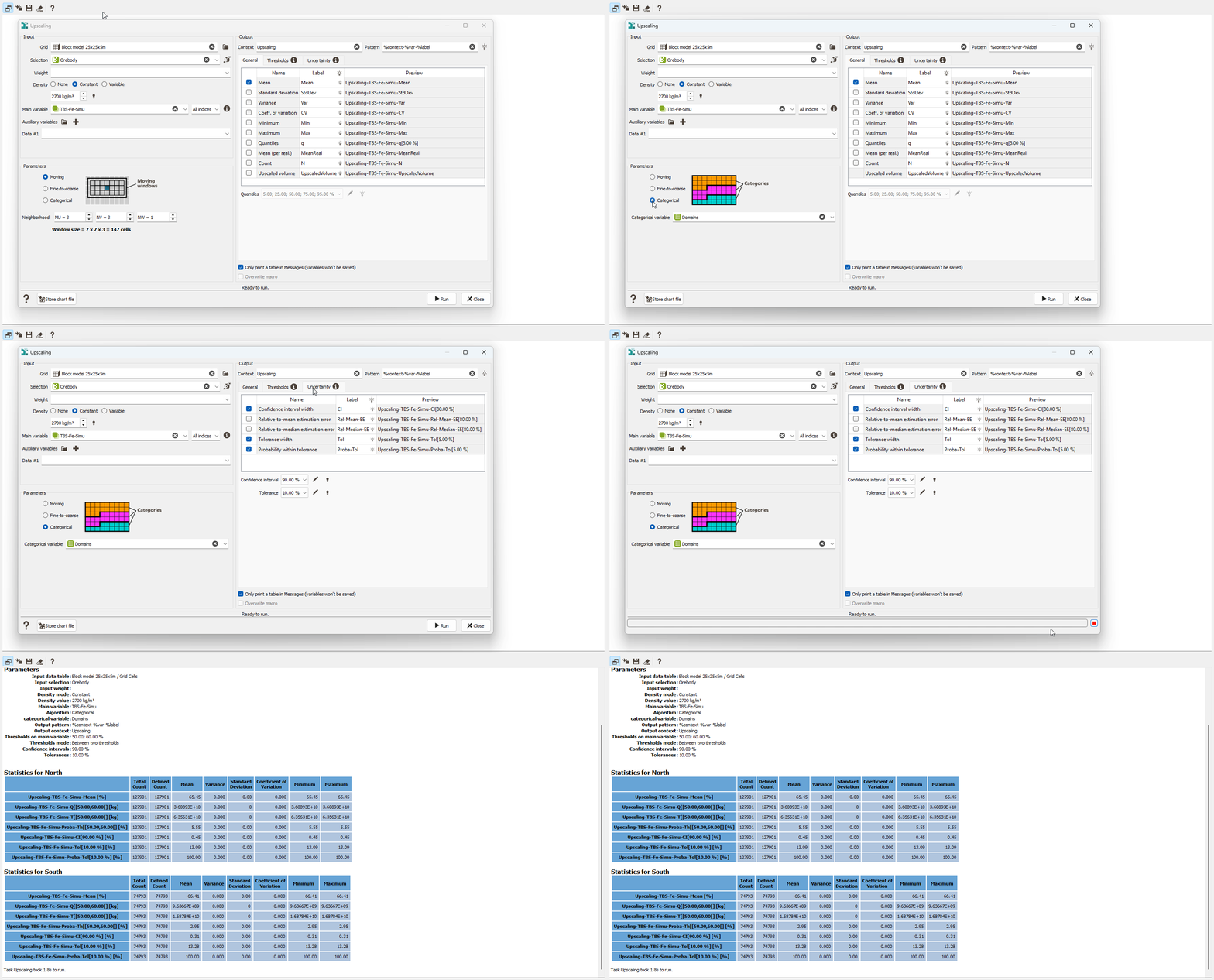
The new Upscaling task gives you complete control over transferring variables between grids, whether you are working from estimation results or simulation outputs. Choose the method that best supports your modeling objectives: Moving (computes statistics over a cell neighborhood), Fine-to-coarse (aggregates fine-grid statistics into larger blocks), or Categorical (delivers category-based aggregated statistics).
Results are delivered with rich analytics: full-range statistics, possibly weighted or density-based, threshold-based outputs (e.g., QTM & benefit variables for mineral resource estimation), and detailed uncertainty metrics from simulations.
At the end, you get clear charts and export-ready variables, everything you need to upscale your model with confidence, accuracy, and speed.
More flexible SIS workflow with lithotype-specific geostatistical sets
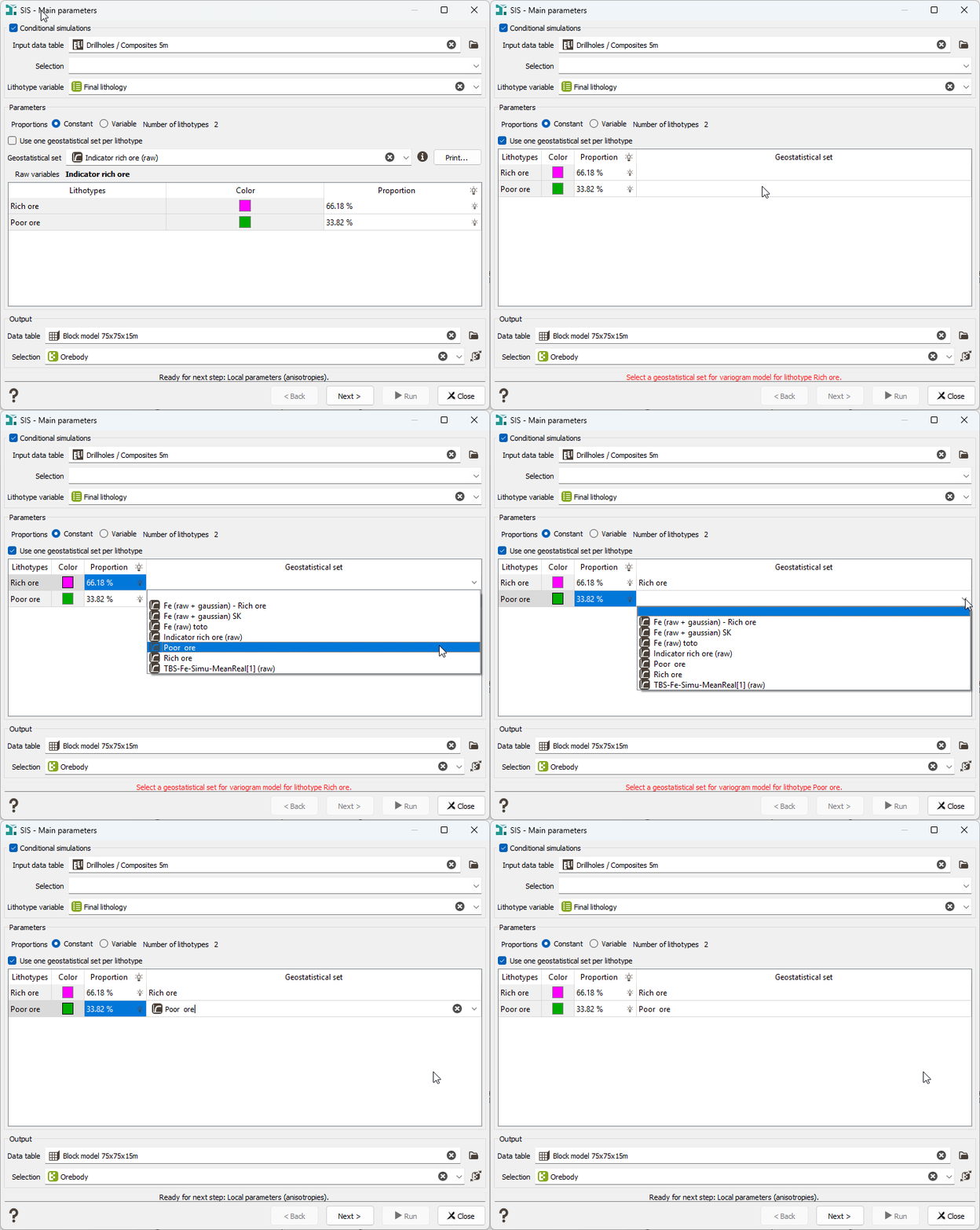
Sequential Indicator Simulation (SIS) just became more adaptable. You can now assign a dedicated geostatistical set to each lithotype, giving you greater flexibility when modeling heterogeneous geology. A single common set remains the default, but you can switch to lithotype-specific sets whenever needed.
This enhancement delivers more accurate, realistic, and tailored simulations, especially for complex lithologies, while keeping your workflow fully controlled and coherent.
Picking Table now available in the 3D Viewer
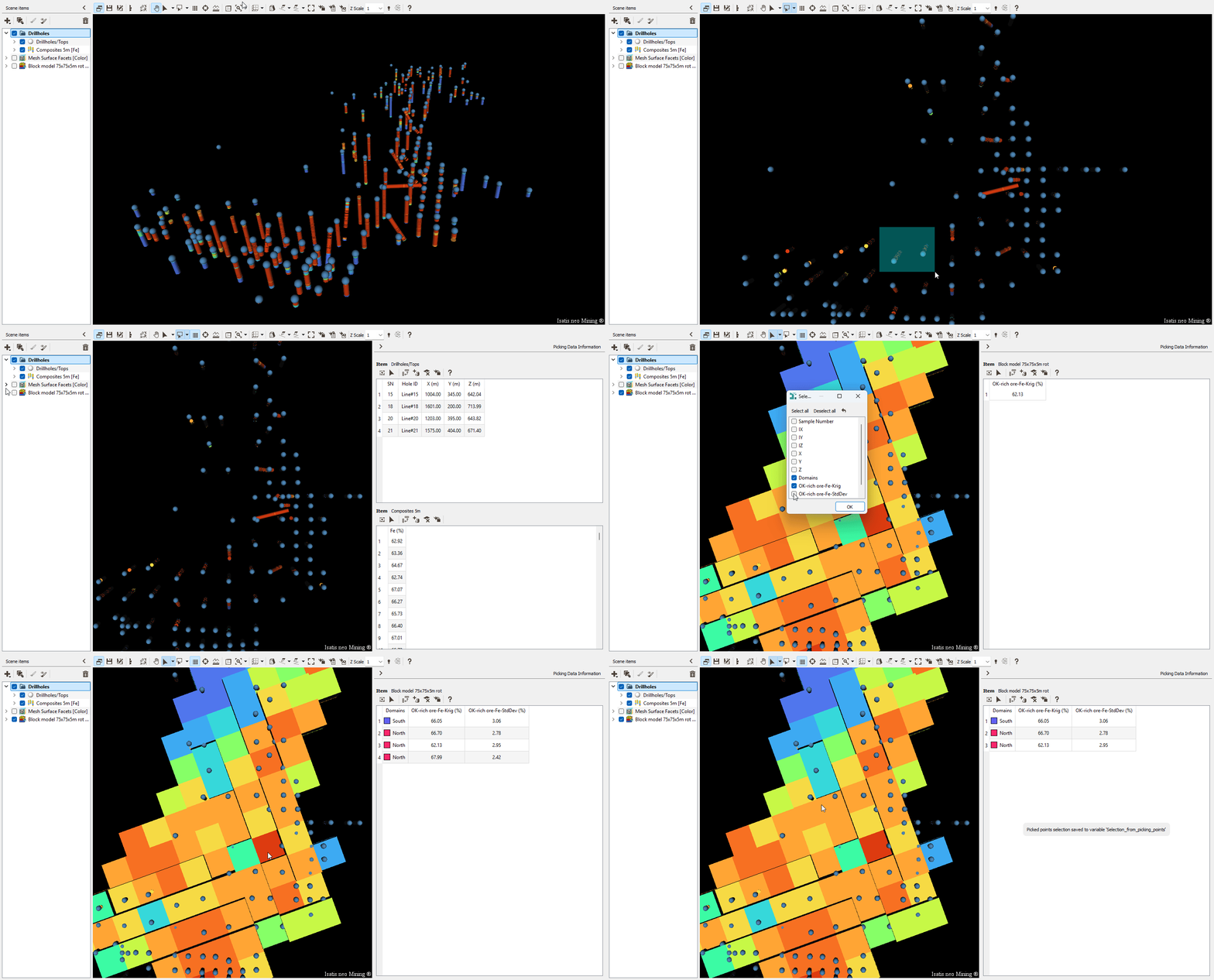
The Picking Table is no longer limited to the 2D Map window; you can now access it directly in the 3D Viewer. Instantly view and explore information linked to your interactive selections, even across multiple data tables.
In 3D, you can pick objects from several visible items simultaneously, and the Picking Table updates automatically to reflect your selection. Display the color variable by default or show multiple variables for deeper insight. You can also save your interactive selections as new variables for use in other tasks.
A new Rectangular Selection tool makes it easier to work with large selections: draw a rectangle to pick multiple samples.
Quality-of-life features that make a difference
New Automatic Check for duplicate data in Kriging
Kriging tasks (Kriging, Simulations, Quick Interpolation, and Cross-Validation) now include an automatic check for duplicate data points when the variogram model contains no nugget effect. This prevents matrix inversion instabilities that can lead to unreliable results. If duplicates are detected, the process stops, and a clear error message is displayed, helping you catch issues early and ensure safer, more stable computations.
Enhanced Grade-Tonnage Curves and Tables
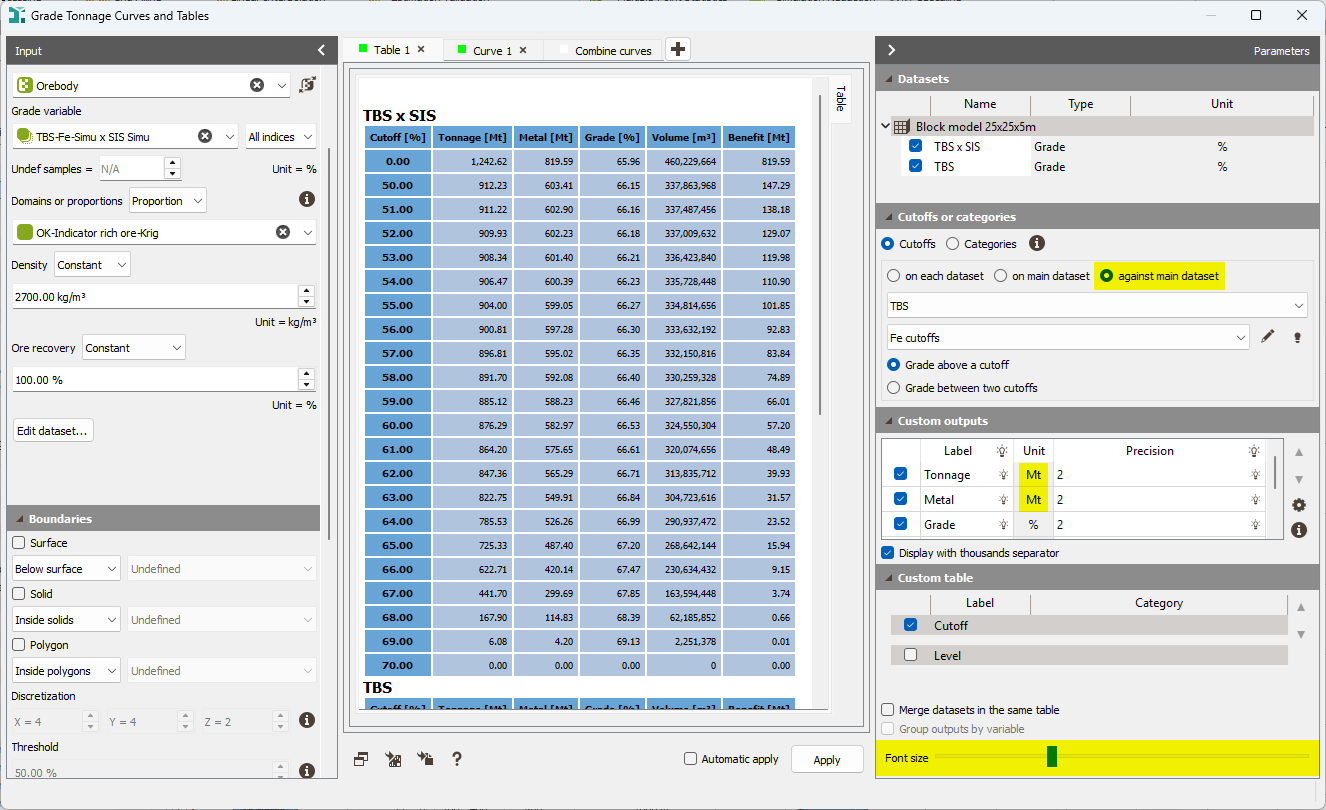
The Grade-Tonnage Curves and Tables task gains several improvements for clearer outputs and more flexible analyses: adjustable text size with a slider, a new Megatonnes (Mt) unit aligning with mining industry standards, and a new Against Main Dataset mode, for which metal values are extracted from the main dataset, and calculations run only where Tonnage is defined.
Early-access menu
The Early Access menu provides access to functionalities that are not optimized. It enables advanced users to test these features and provide feedback to inform the latest developments.
No new task in this category.
Ready to upgrade?
Explore these new features and much more in the latest version of Isatis.neo.
Download Isatis.neo v2025.2 Release Notes for the complete list of improvements
From the Geovariances download page →
From Datamine Support Portal →